

 Office for MAC
 Microsoft Visio & Project





 Adobe Stock
 Canva
Canva Envato Elements
 Freepik
 Motion Array
 Shutterstock




 Wp Apps
 Wp Themes


How to Fix Windows Activation Error? 12 Practical Solutions

How to Fix Windows Activation Error? 12 Practical Solutions
If you are searching for how to fix Windows activation error, this guide will help you solve
the most common Windows 10 and Windows 11 activation problems. You can find practical solutions for
product key errors, digital license issues, 0xC004F050, 0x803F7001, 0x8007232B, 0xC004F074 and other
Windows activation error codes.
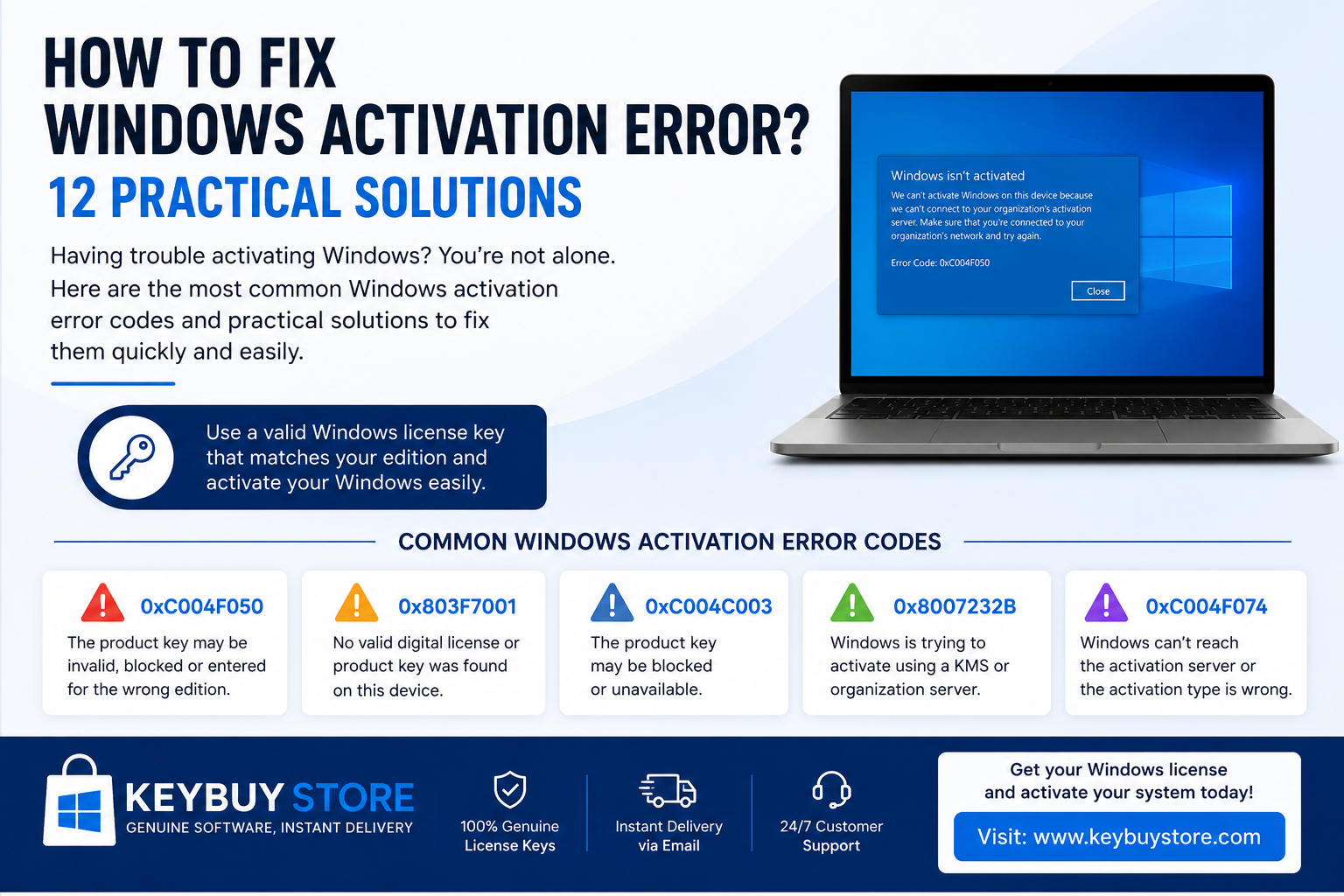
- How to fix Windows activation error?
- Why does Windows activation error happen?
- Basic checks before activation
- Common Windows activation error codes
- Fix Windows activation error with commands
- Windows Home / Pro edition mismatch
- Activation after format or hardware change
- When do you need a new Windows license?
- Frequently asked questions
How to Fix Windows Activation Error?
The quickest answer to how to fix Windows activation error is simple:
first check your Windows edition, make sure your internet connection is working, correct your date and time settings,
and then run the built-in Windows Activation Troubleshooter. If the problem continues, you may need to enter
a valid product key that matches your installed Windows edition.
One of the most common mistakes is trying to activate Windows 11 Home with a Windows 11 Pro key,
or using a Home product key on a Pro installation. Before trying advanced solutions, always check whether
your installed Windows edition and your license key are compatible.
If Windows is not activated, click Troubleshoot. If you already have a product key,
use the Change product key option and enter your key again.
Why Does Windows Activation Error Happen?
Windows activation error usually happens because of an invalid product key, a digital license problem,
a wrong Windows edition, internet connection issues, or a recent hardware change. It is especially common
after reinstalling Windows, buying a second-hand computer, replacing the motherboard, or using an unsupported activation method.
- Windows 11 Home is installed, but a Windows 11 Pro product key is entered.
- A Windows Home license is being used on a Windows Pro installation.
- The product key is incorrect, already used, blocked, or invalid.
- The digital license is not linked to your Microsoft account.
- The motherboard was replaced and the device hardware ID changed.
- Internet, VPN, DNS, date or time settings are causing activation problems.
- KMS, crack, loader, or unsafe activation tools damaged the activation system.
These tools may contain malware, damage Windows system files, and cause repeated activation problems.
The safest method is to use a valid Windows license key.
How to Fix Windows Activation Error? Basic Checks
1. Check your Windows edition
The first step in learning how to fix Windows activation error is checking your installed Windows edition.
A Windows 11 Pro license should be used for Windows 11 Pro, and a Windows 11 Home license should be used for
Windows 11 Home.
In this section, you can see whether your computer is running Windows 10 Home, Windows 10 Pro,
Windows 11 Home, or Windows 11 Pro.
2. Check your internet connection
Windows activation is verified through Microsoft activation servers. If your internet connection is unstable,
VPN is enabled, or DNS settings are causing issues, Windows may fail to activate.
Restart your modem, disable VPN temporarily, and try again.
3. Correct date and time settings
Incorrect date and time settings may prevent Windows from connecting properly to activation servers.
Turn on Set time automatically and Set time zone automatically, then try activation again.
4. Run Windows Activation Troubleshooter
One of the most useful built-in tools is the Windows Activation Troubleshooter.
It can detect and fix many product key and digital license problems automatically.
You can also review Microsoft’s official
Windows activation error support page
for additional information.
For Windows 11:
For Windows 10:
Common Windows Activation Error Codes and Solutions
Many users who search for how to fix Windows activation error see a specific error code on the screen.
The table below explains the most common Windows activation error codes and their practical solutions.
| Error Code | Possible Reason | Practical Solution |
|---|---|---|
| 0xC004F050 | The product key may be invalid, blocked, or entered for the wrong Windows edition. | Check your Windows edition. Use a Home key for Home and a Pro key for Pro. |
| 0x803F7001 | No valid digital license or product key was found on the device. | Enter a valid product key or sign in with your Microsoft account and run Troubleshooter. |
| 0xC004C003 | The product key may be blocked or unavailable. | Use a different valid Windows license key that matches your Windows edition. |
| 0x8007232B | Windows may be trying to activate through a KMS or enterprise activation server. | For personal use, enter a suitable Retail or OEM product key. |
| 0xC004F074 | Windows cannot reach the activation server or the activation type is wrong. | Check internet, date and time settings. Use a valid product key instead of KMS. |
| 0xC004F213 | No product key was found, or the license did not match after hardware change. | Enter your product key again. If hardware changed, use the hardware change option. |
| 0x8007007B | Wrong license type or activation server problem. | Enter a valid product key manually and make sure it matches your Windows edition. |
How to Fix Windows Activation Error with Commands
If the Settings app does not solve the problem, you can use Command Prompt or PowerShell as administrator
to check and refresh the activation status. This method is useful when you entered a product key but
Windows still does not activate.
1. Check activation status
This command shows whether Windows is permanently activated.
2. View license details
This command shows more details about the license channel, activation status, and possible error information.
3. Enter your product key manually
Replace XXXXX with your own Windows product key.
4. Activate Windows again
A wrong edition key, blocked key, or invalid key will not activate Windows.
Windows Home / Pro Edition Mismatch
Edition mismatch is one of the most common reasons behind activation errors.
If your computer has Windows 11 Home installed and you enter a Windows 11 Pro product key,
you may need to upgrade the device to Pro first.
- Open Settings.
- Go to System > Activation.
- Click Change product key.
- Enter your Windows Pro product key.
- Restart your computer after the upgrade is complete.
and business features, Windows 11 Pro is usually the better choice.
You can browse compatible options on the
KeyBuyStore Windows licenses page.
How to Fix Windows Activation Error After Format or Hardware Change
After reinstalling Windows, activation may fail if the wrong edition is installed,
the digital license is not detected, or the product key has not been entered again.
After reinstalling Windows
- Make sure you installed the same edition as your old license: Home for Home, Pro for Pro.
- Sign in with your Microsoft account.
- Run the Activation Troubleshooter.
- If you have a product key, enter it manually.
- If the problem continues, use a valid new Windows license key.
After motherboard replacement
When the motherboard changes, Windows may treat the device as a different computer.
In this case, use the following path:
Then sign in with your Microsoft account and try to link the license to your current device.
When Do You Need a New Windows License?
Not every activation problem requires a new license. However, in some cases the fastest and cleanest solution
is to use a valid product key that matches your installed Windows edition.
- Your old product key is lost.
- A second-hand computer shows an invalid license warning.
- You have a Home license but want to use Windows Pro.
- Error 0xC004F050 or 0x803F7001 keeps appearing.
- Windows was previously activated with crack, KMS, or loader tools.
- Your digital license does not appear after reinstalling Windows.
- You want a clean and quick activation after a fresh installation.
Solve Windows Activation Error Permanently
If you tried the steps in this guide and the problem still continues, the issue is probably related to
product key compatibility or license validity. Using a valid Windows license key can solve the activation
problem quickly and safely.
Still Using Windows 10?
If you are still using Windows 10, it is important to check Microsoft’s current Windows 10 lifecycle information.
You can review Microsoft’s official
Windows 10 end of support information page
for security updates and upgrade options.
If your computer supports Windows 11, upgrading to Windows 11 can be a better long-term choice for security,
compatibility, and daily use. While learning how to fix Windows activation error,
you should also check whether your device is ready for Windows 11.
Quick Solution Summary
| Problem | Fastest Solution |
|---|---|
| Windows is not activated | Run Troubleshooter from Settings > System > Activation. |
| Product key does not work | Make sure the product key matches your Windows edition. |
| License disappeared after format | Sign in with your Microsoft account and link the digital license again. |
| Home is installed but you have a Pro key | Use Change product key and upgrade to Pro. |
| 0xC004F050 error | Use a valid product key for the correct Windows edition. |
| KMS or crack-related error | Perform a clean installation and use a valid license key. |
How to Fix Windows Activation Error? FAQ
How to fix Windows activation error?
Check your Windows edition, internet connection, date and time settings, and Microsoft account.
Then run the Activation Troubleshooter from Settings > System > Activation.
If the problem continues, enter a valid product key for your Windows edition.
What does 0xC004F050 activation error mean?
Error 0xC004F050 usually means the product key is invalid, blocked, or entered for the wrong Windows edition.
Use a Home key for Home and a Pro key for Pro.
Does a Windows 11 Pro key work on Windows 11 Home?
To use a Windows 11 Pro key, the device may need to be upgraded to Pro first.
Go to Settings > System > Activation > Change product key and enter your Pro key.
Will Windows activate again after reinstalling?
If your digital license is linked to your Microsoft account or device, Windows may activate again after reinstalling.
However, if the wrong edition is installed, activation may fail.
Is KMS or crack activation safe?
No. KMS, crack, and loader tools are not safe. They may contain malware and damage Windows system files.
Using a valid Windows license key is the safer method.
Where can I buy a Windows license?
You can browse available Windows license options on KeyBuyStore and choose a product key that matches
your installed Windows edition.
Conclusion: Do Not Ignore Windows Activation Error
The answer to how to fix Windows activation error usually starts with checking the Windows edition,
running the Activation Troubleshooter, and using a valid product key. If all steps fail, your license may be invalid,
blocked, or incompatible with your installed Windows edition.
To use your computer safely and without activation warnings, choose a Windows license key that matches your device.